Big Trades
NinjaTrader 8 Indicator • 1 Device / 1 PC Lifetime License • Instant Download & Activation • 48-Hour Money-Back Guarantee
Institutional Order Flow Visualization
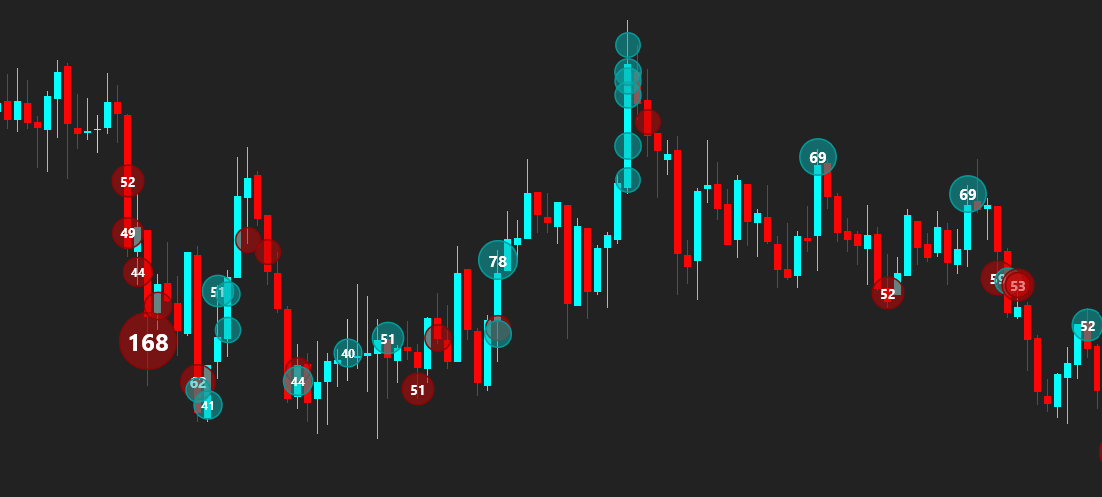
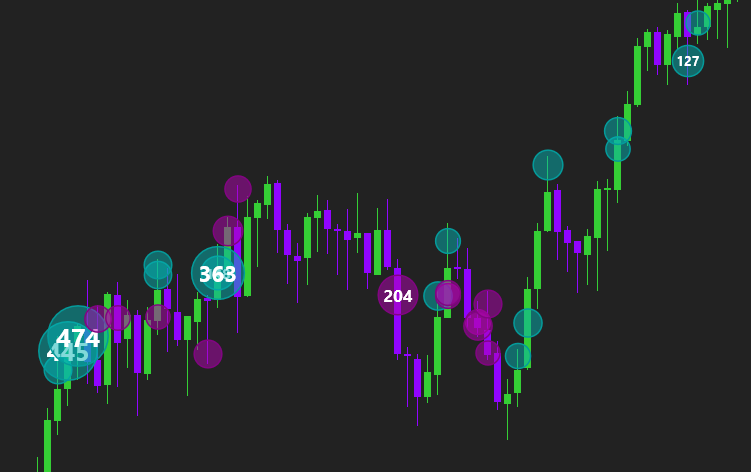
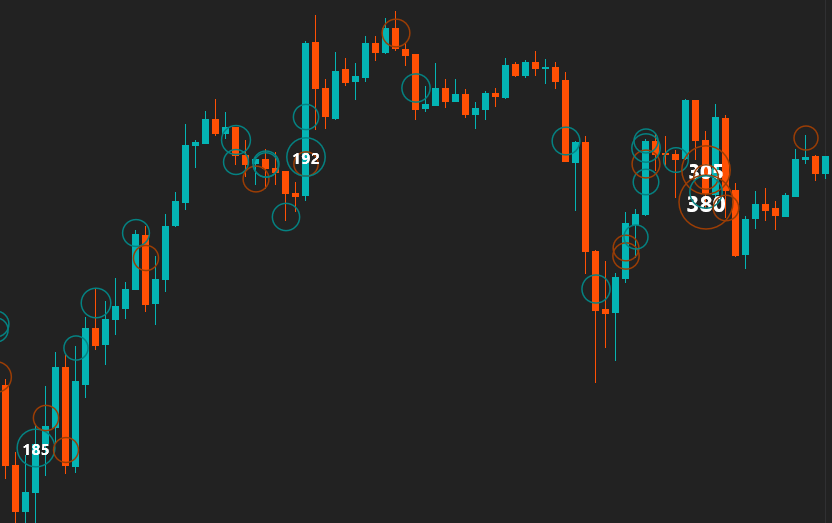
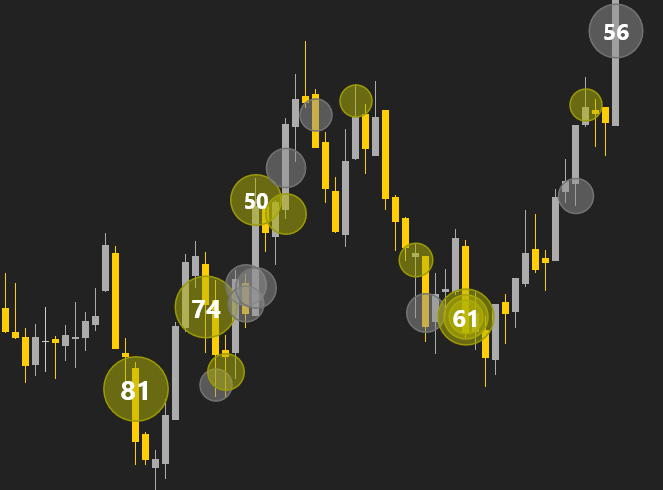
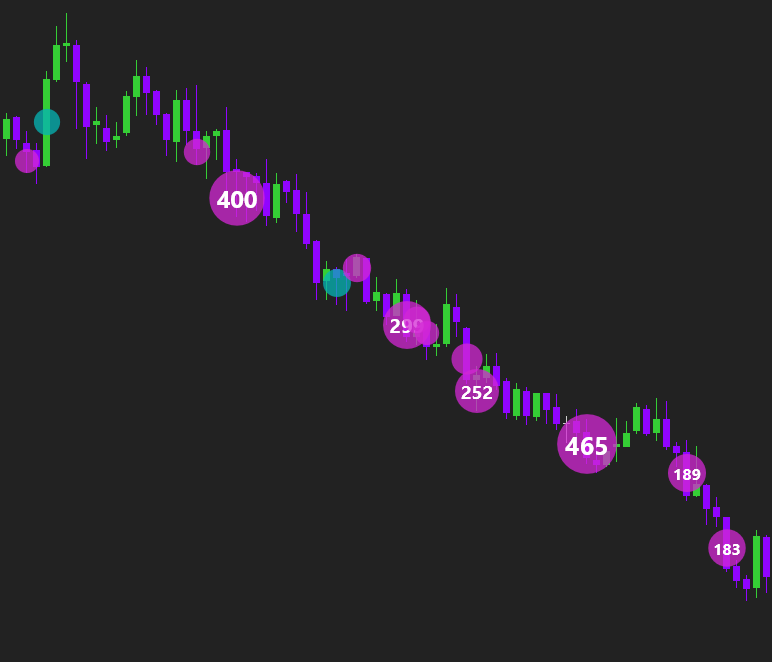
Instantly detect large market buys and sells directly on your chart using volume bubbles with millisecond aggregation.
Why using Big Trades is Essential
The big market participants usually open positions with massive orders that impact market liquidity, create aggressive price sweeps or form key absorption levels. Big Trades opens up this hidden data stream in real time.
Instantly reveals aggressive institutional buying or selling sweeps across multiple price tiers before price moves away.
Identify heavy volume executed at key highs/lows where passive liquidity absorbs aggressive momentum.
Recognize instantly when a movement is caused by large important trades or simply by minor retail transactions.
Orderblock Grouping Feature
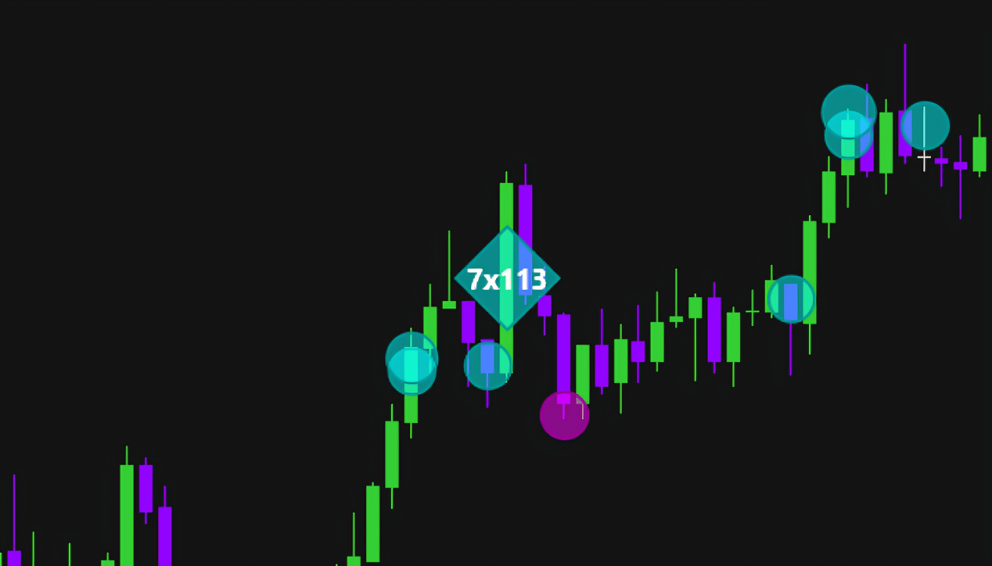
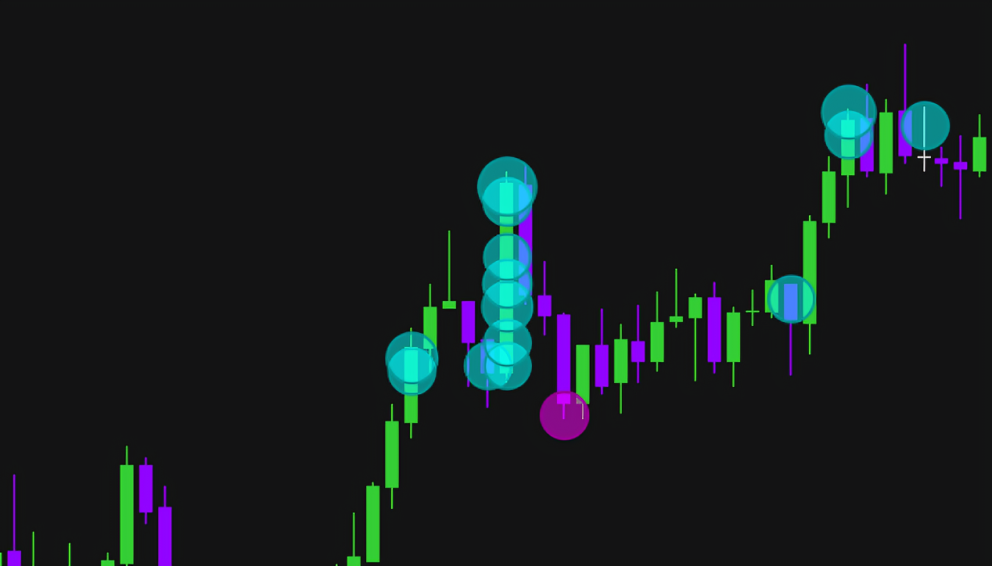
Trascina il sipario per visualizzare la differenza tra gli ordini raggruppati e non raggruppati.
Big Trades Gallery
Big Trades Lifetime License
- Valid for 1 PC / 1 Device
- 48-Hour Money-Back Guarantee
- Lifetime updates & support
Settings Guide
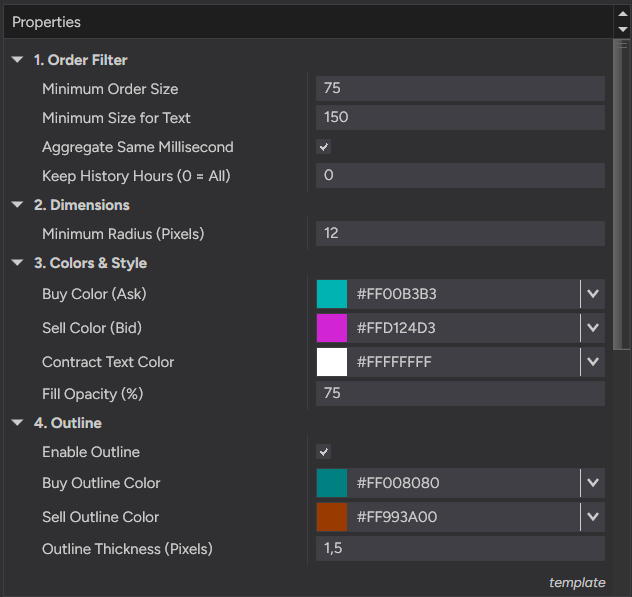
Explore indicator properties directly from the NinjaTrader 8 panel.
- • Minimum Order Size: Filters out trades below the specified threshold.
- • Minimum Size for Text: Sets volume required to render text inside bubbles.
- • Aggregate Same Millisecond: Merges split trades executed simultaneously.
- • Keep History Hours: Defines historical depth retention (0 = All).
- • Minimum Radius (Pixels): Sets minimum visual size for trade bubbles.
- • Buy Color (Ask) & Sell Color (Bid): Custom colors for directional orders.
- • Contract Text Color: Adjusts contrast for contract numbers.
- • Fill Opacity (%): Controls transparency of volume circles.
- • Enable Outline & Thickness: Toggles and sets border stroke width.
- • Buy / Sell Outline Color: Custom border colors for buy and sell bubbles.
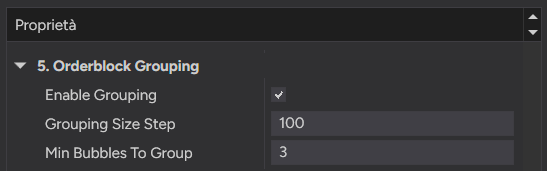
- • Enable Grouping: Groups similar sized bubbles on the same candle into a single mega-bubble.
- • Grouping Size Step: Volume step to categorize bubble sizes for grouping.
- • Min Bubbles To Group: Minimum number of bubbles of the same category and direction required to form a mega-bubble.