Footprint Chart
NinjaTrader 8 Indicator • 1 Device / 1 PC Lifetime License • Instant Download & Activation • 48-Hour Money-Back Guarantee
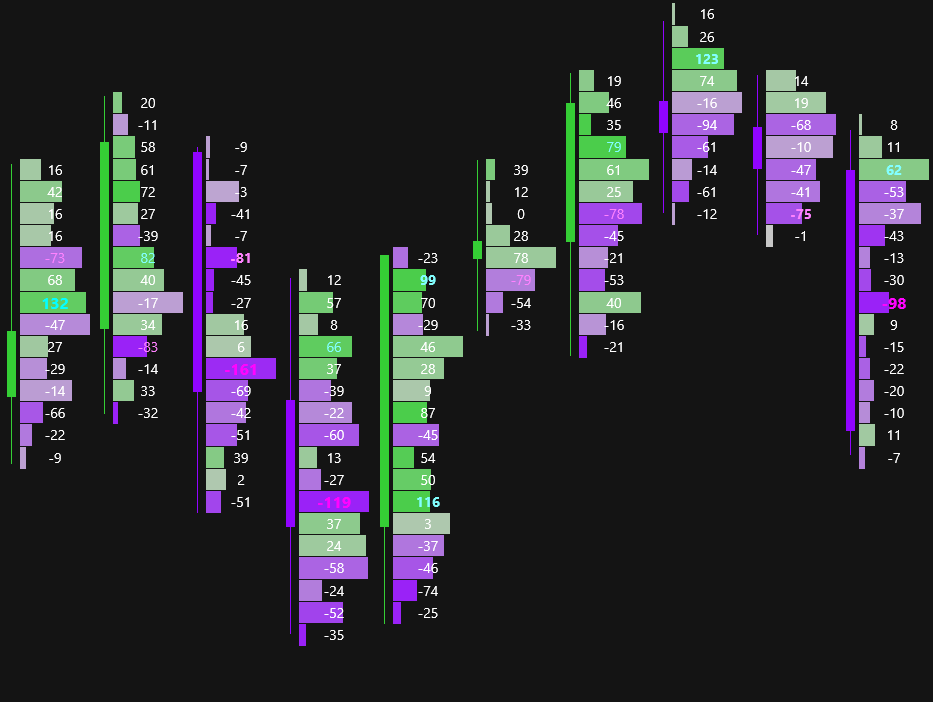
Dynamic Tick Grouping
Automatically balances and adjusts the depth and scale of each price level based on market volatility and context, preserving chart readability across high-volume moves.
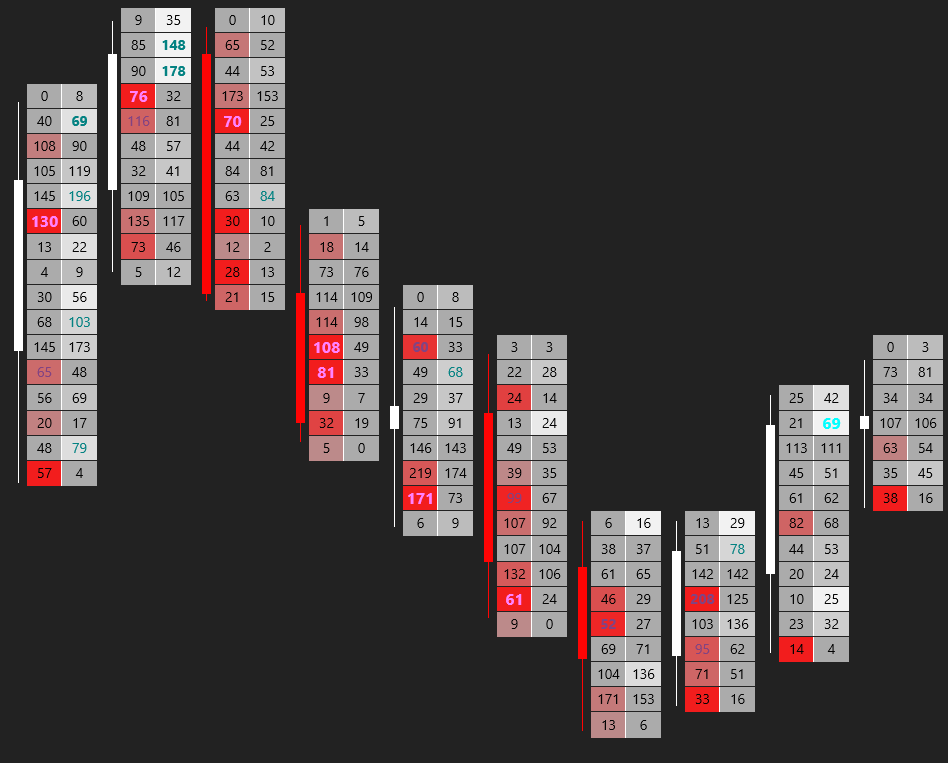
Smart Imbalance Heatmap
Intelligently highlights aggressive buy/sell imbalances and order clusters with custom color thresholds.
Indicator Setup Instructions
Space the candles by scrolling the timeline at the bottom of the chart.
Thin the candles using the shortcut Alt + ARROW_UP or Alt + ARROW_DOWN.
Adjust the offset and desired width of the indicator directly in the indicator settings.
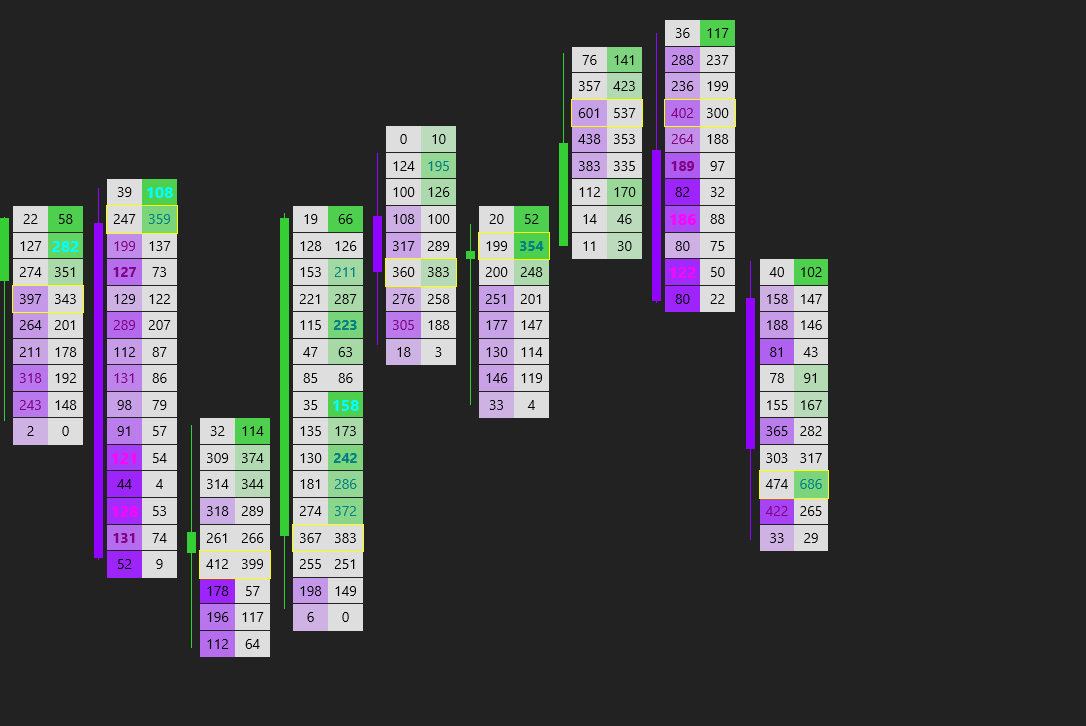
Tick Replay Required
To ensure historical accuracy, enable Tick Replay in NinjaTrader 8 Data Series settings.
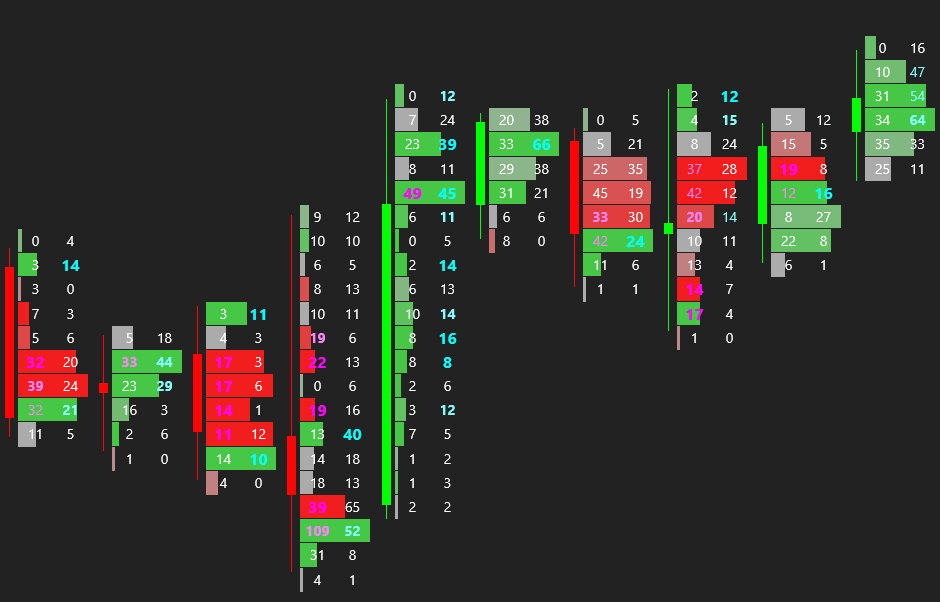
Number Highlighting
Highlights the numbers that matter most in a fully customizable way, filtering out market noise.
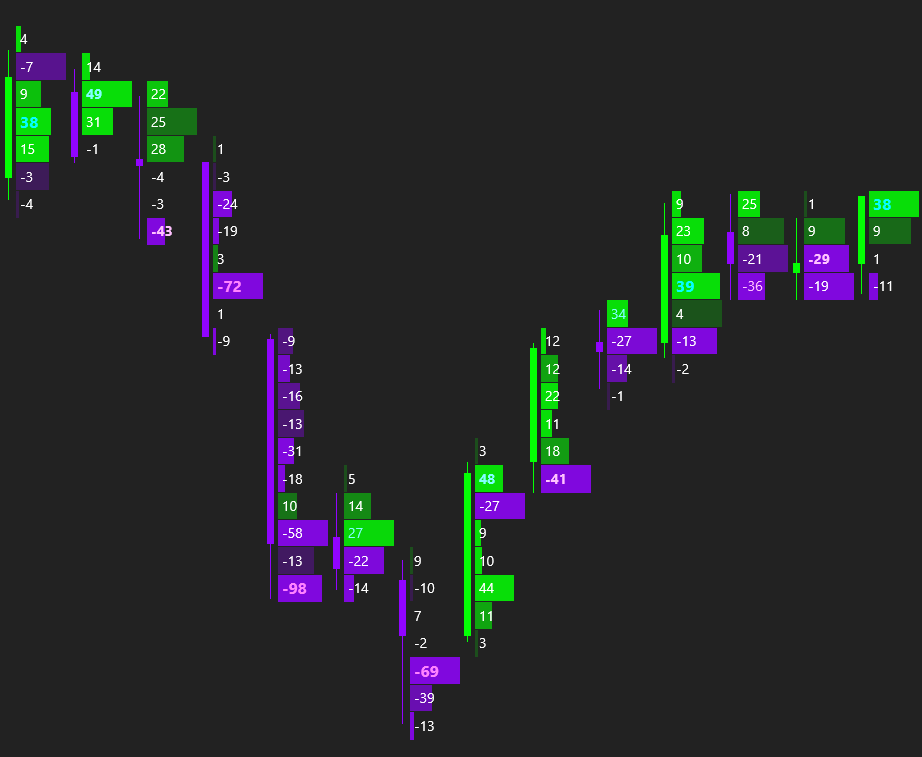
Adapt Size & Colors
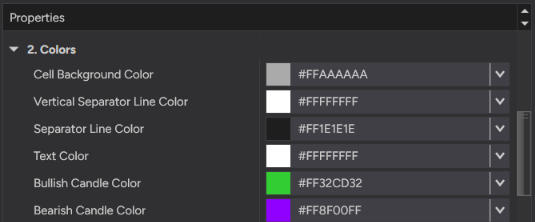
Full visual freedom to customize cell dimensions, background themes, font contrast, and color palettes.
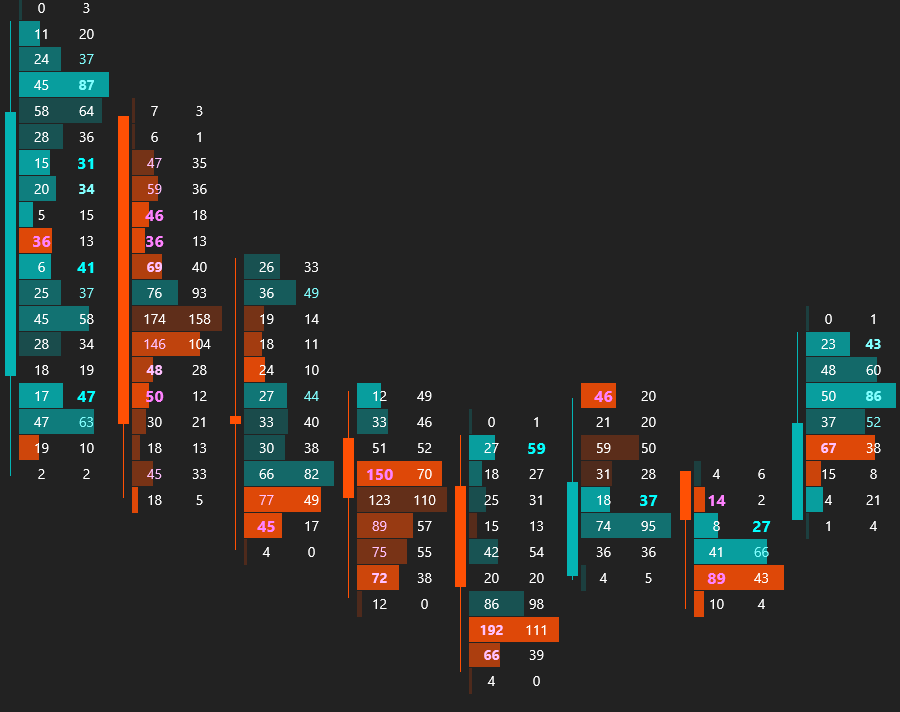
Volume and Delta Profile
Overlay volume profiles onto candles to identify Point of Control (POC) and value areas in real time.
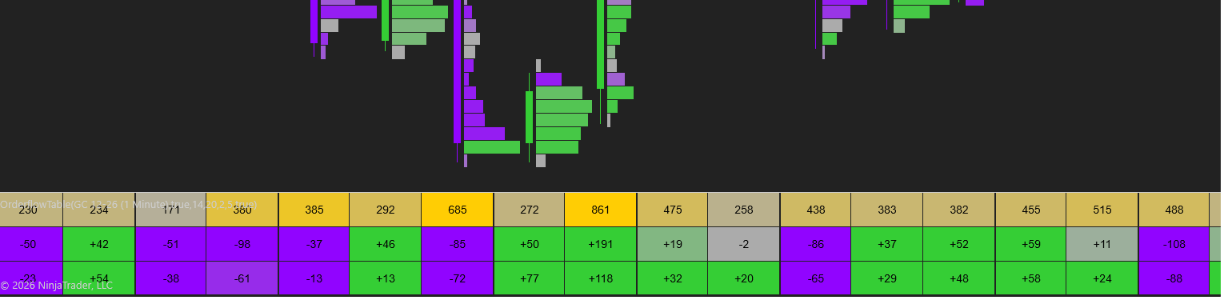
Orderflow Table
Additional indicator included for free in the license that provides a detailed summary of everything that happened within each single candle. Includes filtering in favor of big trades to instantly spot institutional player activity.
Footprint Chart Lifetime License
- Valid for 1 PC / 1 Device
- Free Orderflow Table Bonus
- 48-Hour Money-Back Guarantee
- Lifetime updates & support
Settings Guide
Explore indicator properties directly from the NinjaTrader 8 panel.
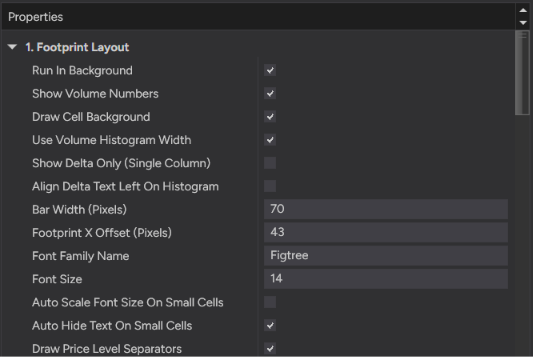
Footprint Layout
- • Run In Background: Processes ticks asynchronously even when hidden.
- • Show Volume Numbers: Toggles text visibility on cells.
- • Use Volume Histogram: Displays volume as horizontal cell bars.
- • Show Delta Only: Shows Delta values instead of Bid/Ask.
- • Auto Scale & Hide Text: Prevents overlapping on small zoom.
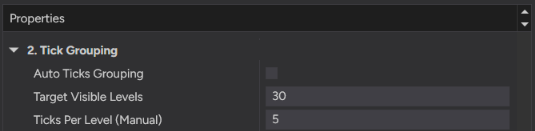
Tick Grouping
- • Auto Ticks Grouping: Groups ticks dynamically based on zoom.
- • Target Visible Levels: Maintains target visible row count.
- • Ticks Per Level: Manual input when Auto grouping is off.
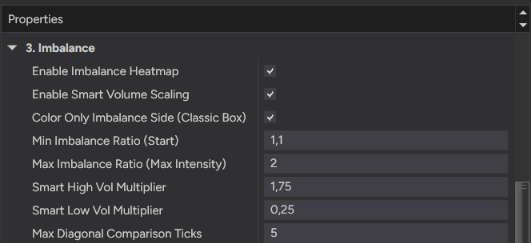
Imbalance Heatmap
- • Smart Volume Scaling: Adapts thresholds to filter noise.
- • Min / Max Ratio: Sets initial and peak intensity limits.
- • Diagonal Comparison: Groups orderflow diagonally up to limits.
- • Color Imbalance Side: Highlights only aggressive sides.
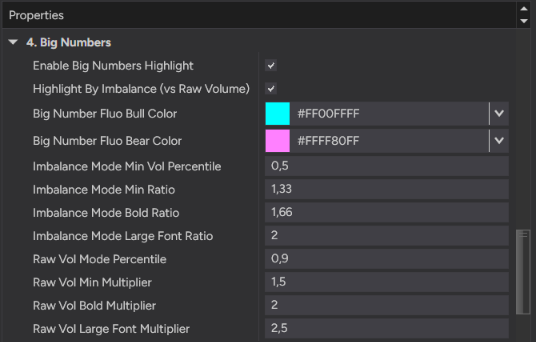
Big Numbers
- • Highlight Triggers: Based on imbalance or raw volume percentiles.
- • Custom Multipliers: Enlarges fonts for significant volume.
- • Fluo Colors: Applies high-contrast colors to institutional trades.
POC & Themes
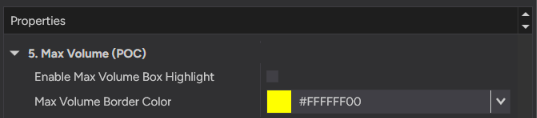
- • Max Volume Box: Outlines candle POC to track value migration.
- • Full Color Control: Custom text, backgrounds, and separators to fit dark/light NinjaTrader themes.