Market Profile
NinjaTrader 8 Indicator • 1 Device / 1 PC Lifetime License • Instant Download & Activation • 48-Hour Money-Back Guarantee
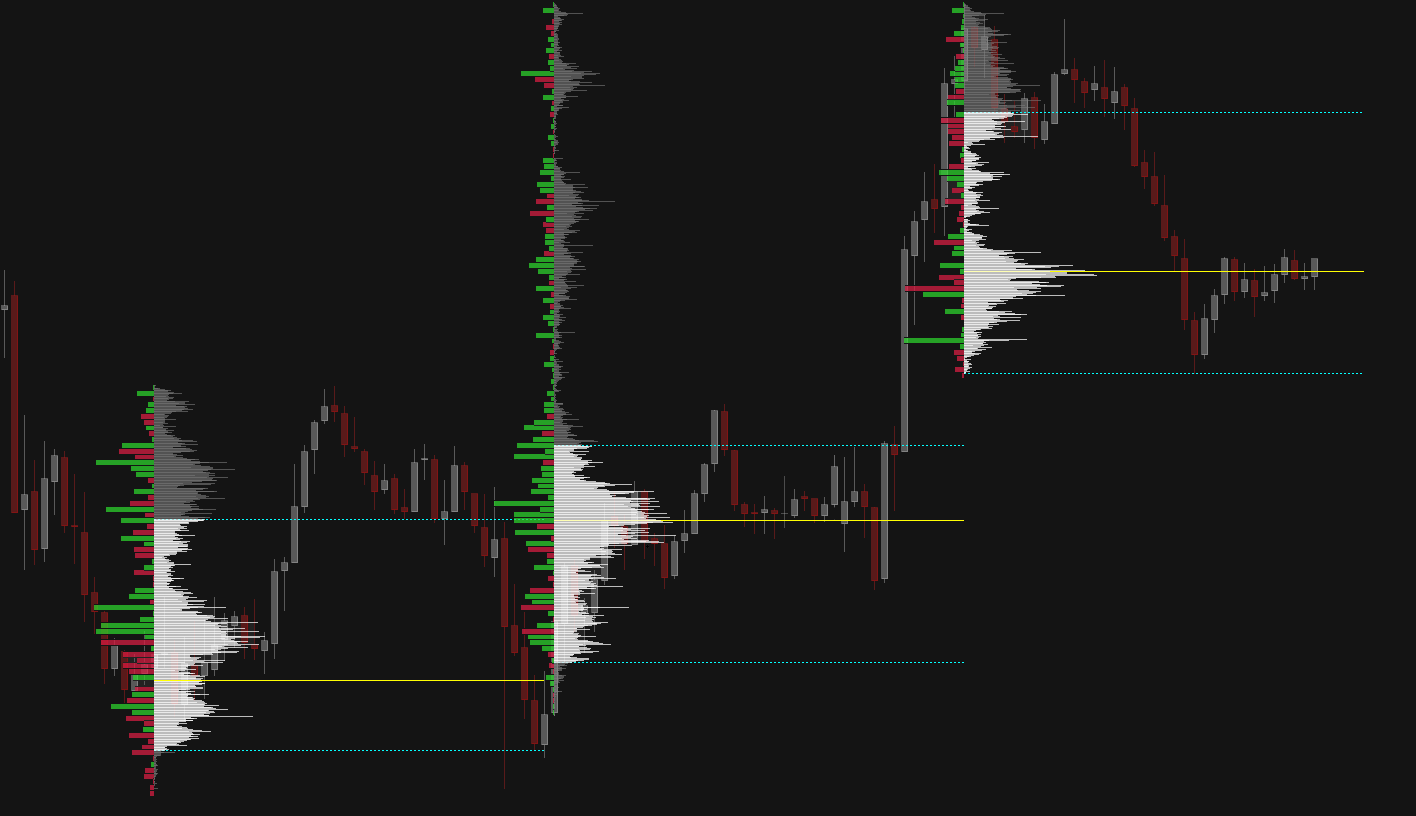
Dynamic Market Profile Analysis
Your volume profile, like you have never seen it. Place it with one click of a button in the exact spot that you need it, the instant that you need it, without wasting any time.
Interactive Profile Controls
Total operational freedom directly on your NinjaTrader 8 chart with zero configuration complexity.
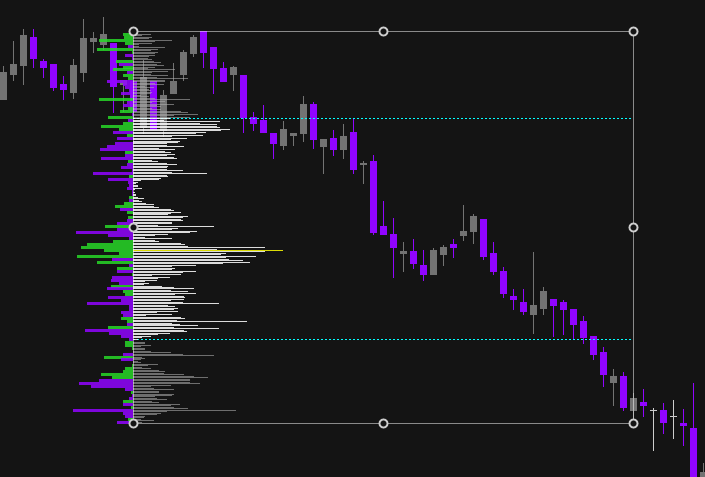
Intuitive Drag & Resize Control
Adjust time boundaries and price height dynamically on screen using native corner handles. Instantly focus your volume profile on specific market moves or consolidation ranges.
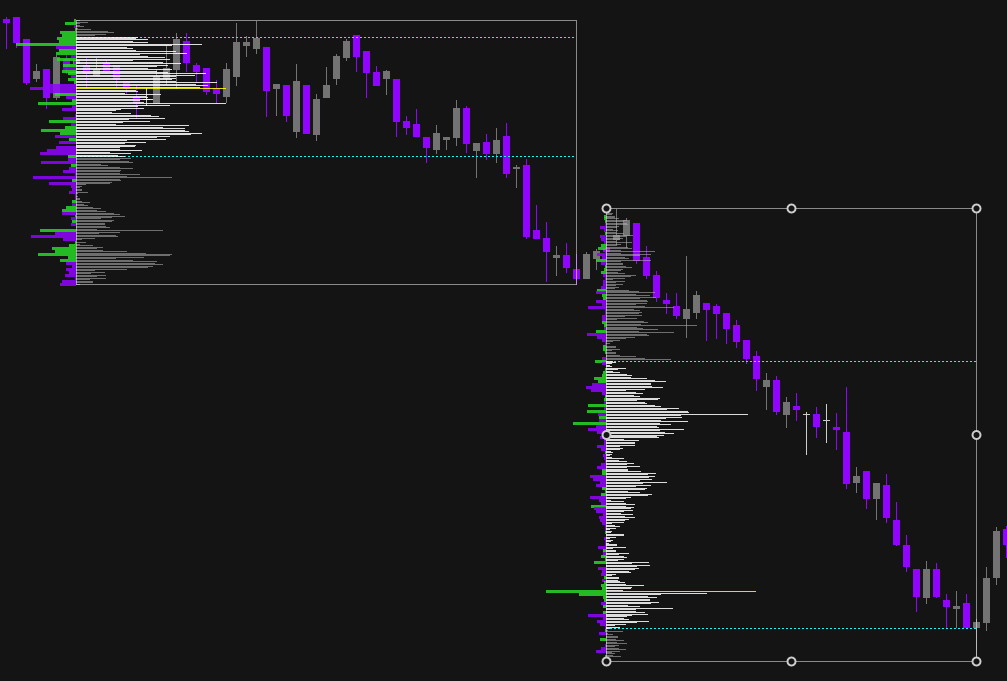
Multi-Profile Independent Management
Duplicate profiles with a single button and position multiple distinct Market Profiles freely on the same chart to visualize what happens in distinct market phases.
Why using Market Profile is Essential
Traditional charts show price over time, hiding where market partecipants are actually committing capital. Market Profile maps traded volume and orderflow delta directly across price levels, giving you an important structural edge.
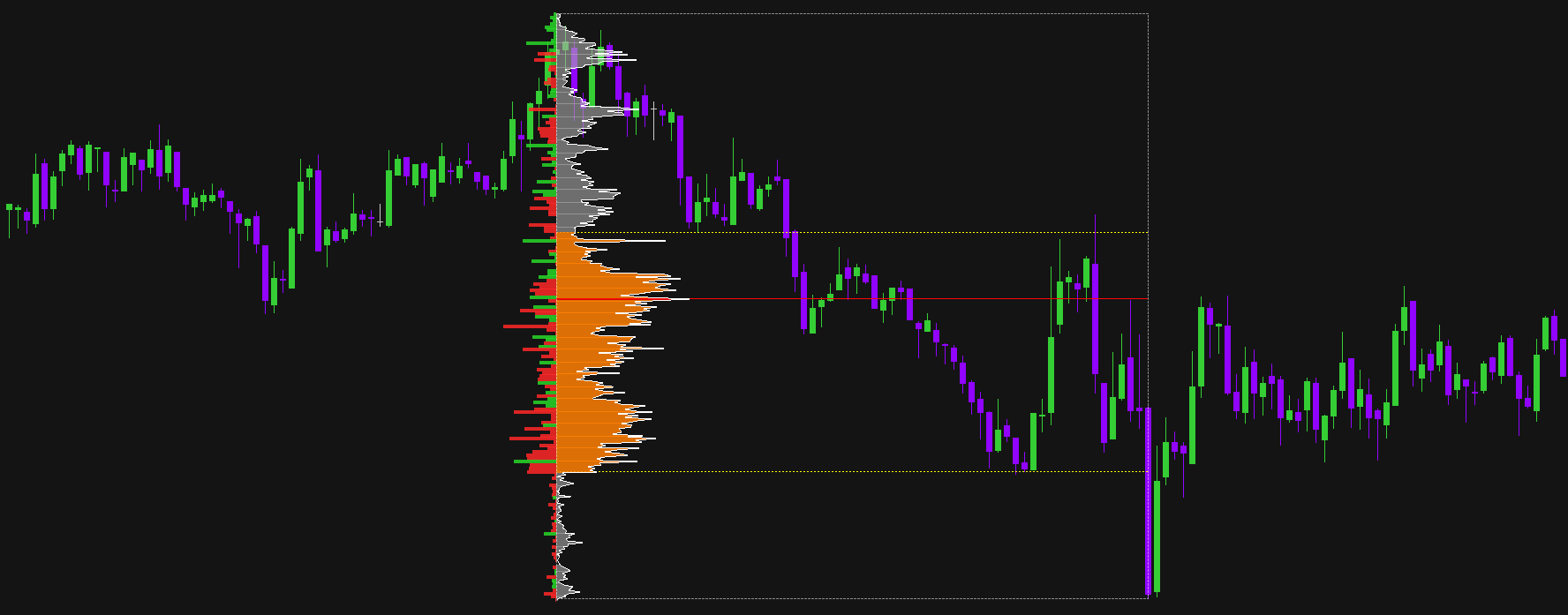
Instantly locate the Point of Control (POC), Value Area High (VAH), and Value Area Low (VAL) within wich most of trading activity occurred.
Recognize high-volume nodes acting as strong magnetic magnets and low-volume nodes (LVNs) where price drifts or rejects.
Analyze real-time intrabar net buying vs selling pressure directly beside your volume distribution bars.
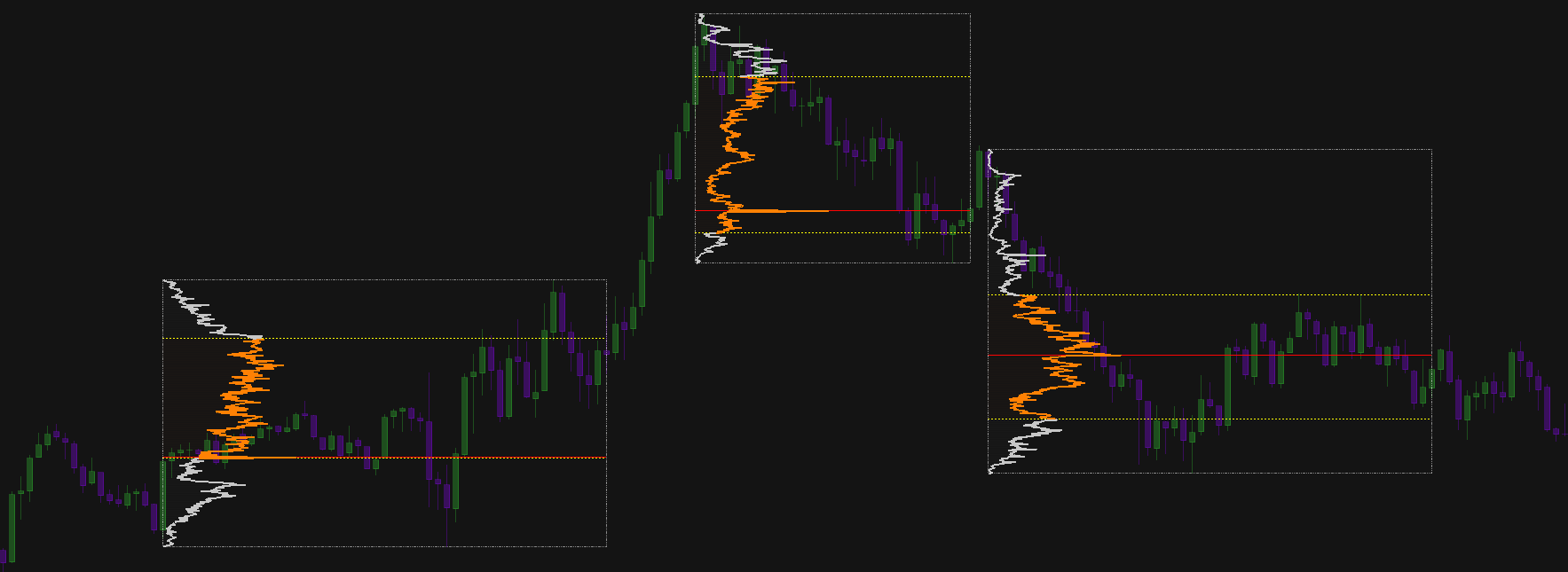
Distinguish balanced consolidation ranges from aggressive directional breakouts before taking trade entries.
Isolate key market legs, news releases, or specific session ranges without restrictive fixed daily profiles.
Uncover hidden passive liquidity walls absorbing aggressive buyers or sellers at major swing highs and lows.
Market Profile Lifetime License
- Valid for 1 PC / 1 Device
- 48-Hour Money-Back Guarantee
- Lifetime updates & support
Settings Guide
Explore indicator properties directly from the NinjaTrader 8 panel.
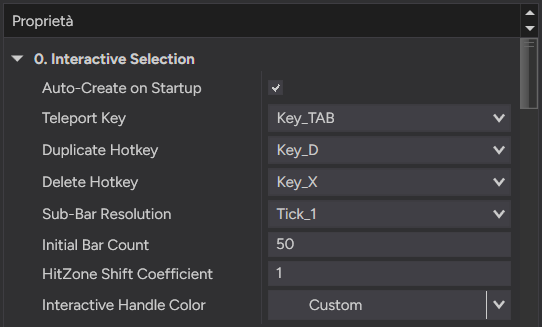
- • Auto-Create on Startup: Automatically spawns a volume profile box in the chart center upon loading.
- • Teleport Key: Shortcut to center the active or latest profile on your visible screen (Default: Key_TAB).
- • Duplicate Hotkey: Shortcut key to duplicate or spawn a new profile instantly (Default: Key_D).
- • Delete Hotkey: Shortcut key to delete the selected or last created profile (Default: Key_X).
- • Sub-Bar Resolution: Intrabar data resolution (Tick_1, 1-Sec, 5-Sec, 1-Min) for high-precision volume calculation.
- • Initial Bar Count: Default number of bars enclosed within the selection box upon creation (Default: 50).
- • HitZone Shift Coefficient: Fine-tunes handle selection and click tolerance area.
- • Interactive Handle Color: Custom color mapping for selection rectangle corner handles.
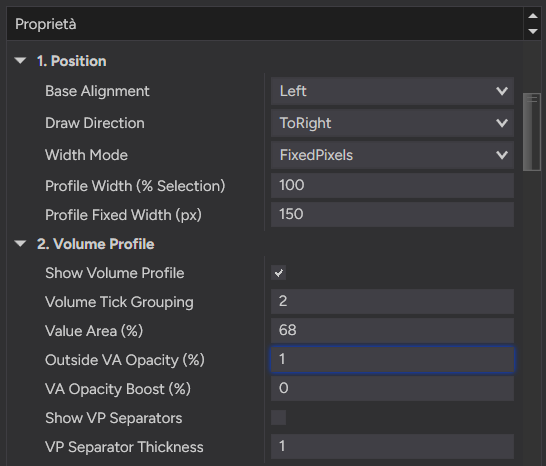
- • Base Alignment: Align the histogram base to the Left or Right edge of the selection box.
- • Draw Direction: Extend histogram bars to the right (ToRight) or to the left (ToLeft).
- • Width Mode: Scale profile width dynamically as a percentage of box width or fixed pixels.
- • Volume Tick Grouping: Consolidates specified price ticks per horizontal histogram bar.
- • Value Area (%): Target volume threshold for Value Area calculation (Default: 68%).
- • Opacity & VA Boost (%): Adjust opacity for volume outside VA and additional opacity boost inside VA.
- • VP Separators & Thickness: Show horizontal grid line separators between volume profile bars.
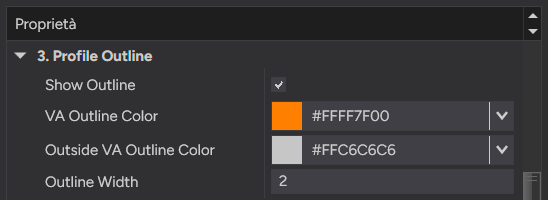
- • Show Outline: Enable or disable the continuous polyline tracking volume distribution peaks.
- • VA Outline Color: Custom stroke color for the outline passing through the Value Area.
- • Outside VA Outline Color: Custom stroke color for outline sections outside the Value Area.
- • Outline Width: Stroke width in pixels for the continuous profile polyline.
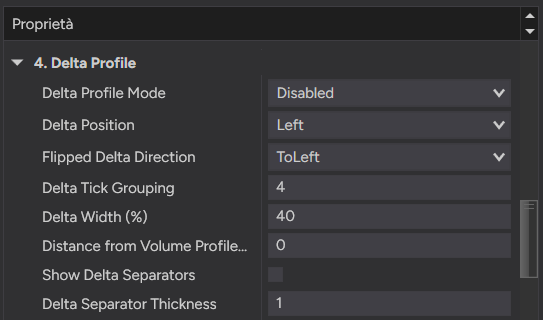
- • Delta Profile Mode: Toggle real-time buy vs sell aggressive orderflow Delta distribution display.
- • Delta Position & Flipped Direction: Position Delta relative to selection (Left/Right) and set bar extension direction.
- • Delta Tick Grouping & Width (%): Custom tick aggregation and relative width for Delta bars.
- • Distance from Volume Profile (px): Pixel gap offset separating the volume profile from the Delta profile.
- • Show Delta Separators & Thickness: Toggle horizontal bar separator lines for Delta bars.
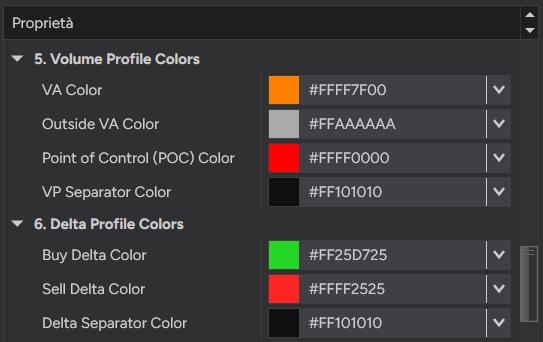
- • VA & Outside VA Color: Fill colors for volume histogram bars inside and outside Value Area.
- • Point of Control (POC) Color: Highlight color identifying the price level with highest volume.
- • Buy & Sell Delta Color: Directional colors for positive (net buying) and negative (net selling) Delta bars.
- • Separator Colors: Custom colors for Volume Profile and Delta Profile bar separator lines.
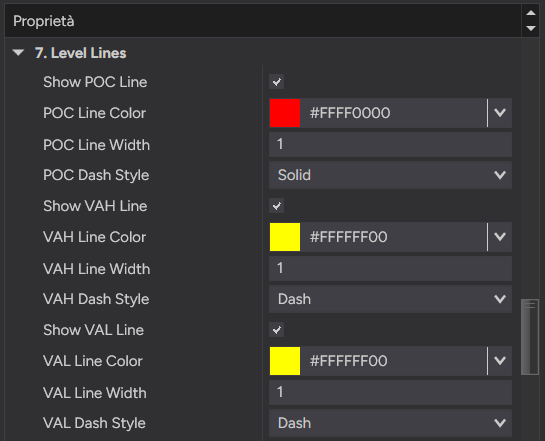
- • POC Line (Show, Color, Width, Dash Style): Horizontal level line marking the Point of Control with custom stroke styles.
- • VAH Line (Show, Color, Width, Dash Style): Horizontal key level line for Value Area High price boundary.
- • VAL Line (Show, Color, Width, Dash Style): Horizontal key level line for Value Area Low price boundary.
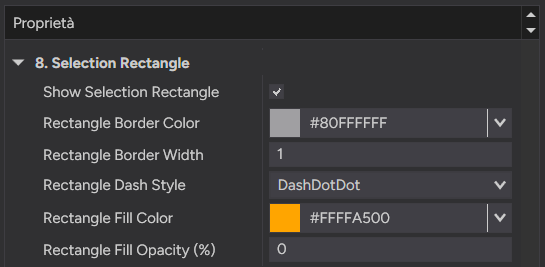
- • Show Selection Rectangle: Toggle visibility of the surrounding interactive drag/resize bounding box.
- • Rectangle Border (Color, Width, Dash Style): Border stroke configuration (Solid, Dash, DashDotDot).
- • Rectangle Fill (Color & Opacity %): Background shading fill color and opacity percentage inside selection box.